

Online loan
An online loan that works as hard
as you do
Apply online today for an Oriva working capital loan of up to €25,000, payable over up to 48 months.
What you can use it for
- Working Capital requirements such as purchasing of stock
and taking advantage of discounts from suppliers. - Funding the lease or purchase of assets and supporting tools, such as machinery and equipment, furniture and fixed assets and software such as project software.
- Payment of insurance and tax obligations.
- Commission coverage on letters of guarantee.
Oriva frequently asked questions
Individuals who has an activity in Greece (sole proprietor), is officially registered with the Tax Office or is registered with GEMI and has closed at least one financial year may apply. In addition, at least 2 of the following 3 conditions must be met by the business:
- a turnover of less than €900,000
- fewer than 10 employees
- total assets less than or equal to €450,000
According to Law 4701/2020, the maximum limit of a microloan is up to €25,000. You can borrow this limit from more than one institution. However, you cannot receive a microloan from Oriva with the aim of repaying another microloan.
The interest rate of a microloan depends on the credit profile of each business and is determined during the application process – it starts from 10% with a maximum of 19.5% (for applications with a particularly burdensome credit profile, absence of a guarantor, etc.). This interest rate will be fixed for the entire duration of the loan.
The repayment period depends on your affordability and ranges between 12 and 48 months.
You would need to provide for your business:
- E3 pdf of the last closed tax year
- E1 pdf for the last closed tax year
- E9 pdf optional only to strengthen your application
- Electronic Transaction Summary Book (print screen saved as image or pdf. You can also csv download it from the website)
- Log in to your digital business portal on the AADE myDATA Platform.
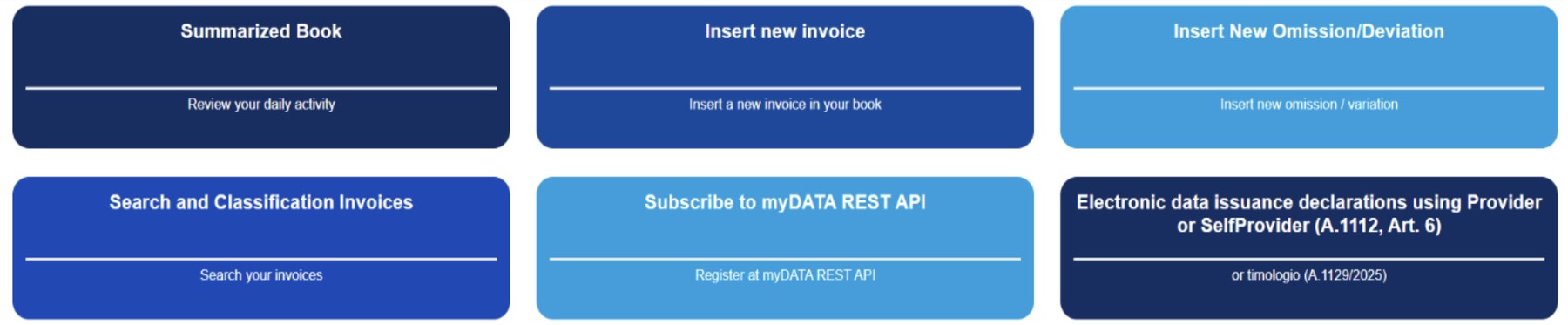
- Navigate to your Summary of Electronic Transactions or the electronic books dashboard.
- Ensure your profile details (VAT number/AFM) are clearly visible on the screen. Filter for the period after your last E3 till current date. For example, if you E3 was for 2025, then you need to include Jan 2026 till current date.
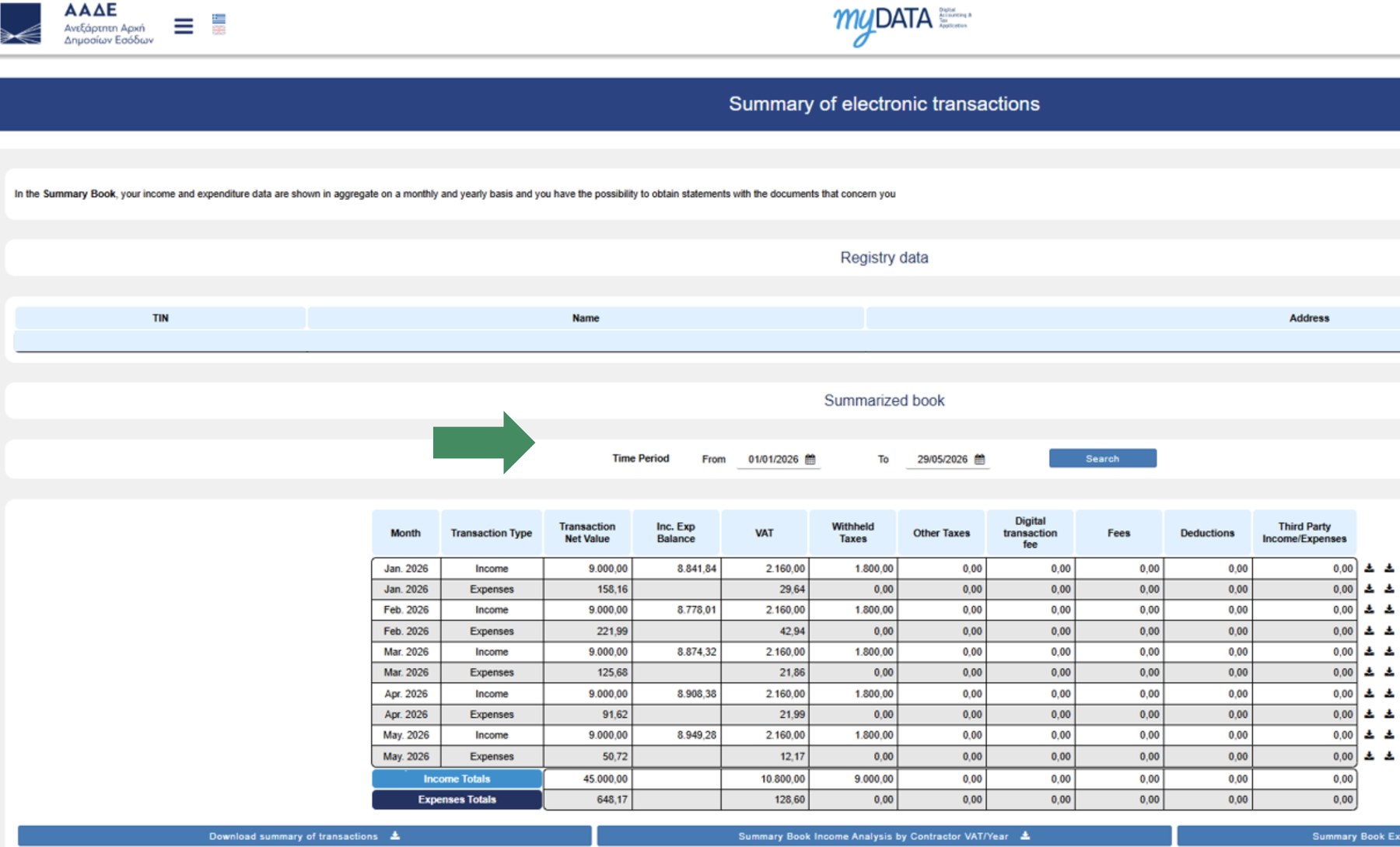
- Take a screenshot and save it as an image or PDF to upload. You can also download the csv file.
From the submission of the supporting documents, approval is announced within 12 hours. On approval, payout is made immediately but may take a day or two to reflect in your business bank account.